Futavel

Why we made Futavel

Futavel started with a restaurant owner who wanted something made just for restaurants. A restaurant is hundreds of small things that all have to happen today.

Who’s on tonight. Whether the walk-in got cleaned. How much salmon is left. Who’s covering Saturday. Whether the new server knows how to close.

In a lot of restaurants, all of that lives in a group text, a paper schedule on the wall, a notebook by the register, a spreadsheet and the owner’s head. It works until someone’s out sick, the notebook goes missing, or you open a second location.

We made Futavel so it can all live in one place instead, on the phones people already carry. Here’s what we decided along the way.

It has to work on a busy shift

If an app takes training, nobody opens it during a dinner rush. So Futavel uses big buttons and plain words, says what things are instead of hiding them behind icons, and has a Baby steps mode that points to what to do next.

One price, whatever the size of your team

Hiring another dishwasher shouldn’t change your software bill. Futavel costs the same whether you have five people or fifty, so you never have to think twice about adding someone to it.

The owner stays in charge

It’s your restaurant, so you choose what each manager can see and do, who counts stock, who edits the menu and whether the time clock checks a location. Everyone else only sees what’s meant for them.

Everyone gets their own language

Kitchens run in more than one language. Futavel speaks thirteen, and each person picks their own. What people type stays as they wrote it.

Your information isn’t the product

You pay for Futavel, and that’s how we make our money. We don’t sell your information or show ads, and our website has no trackers.

We’ll tell you what it isn’t

Futavel doesn’t take orders or card payments at the counter, and it doesn’t run payroll. Keep the tools you have for those, and use Futavel beside them. See how it compares.

Everything else inside

See how the money is doing

Sales, fees, gross pay, net pay and profit, by week, month or year, with graphs and a PDF you can save. Connect Stripe to bring your sales in, and type in your DoorDash and Uber Eats numbers from their statements.

  • Separate and combined views of each sales source
  • Costs like food and rent, next to your labor
  • Only the owner sees it, unless they allow a manager
  • Estimates for running the business, not payroll or tax records
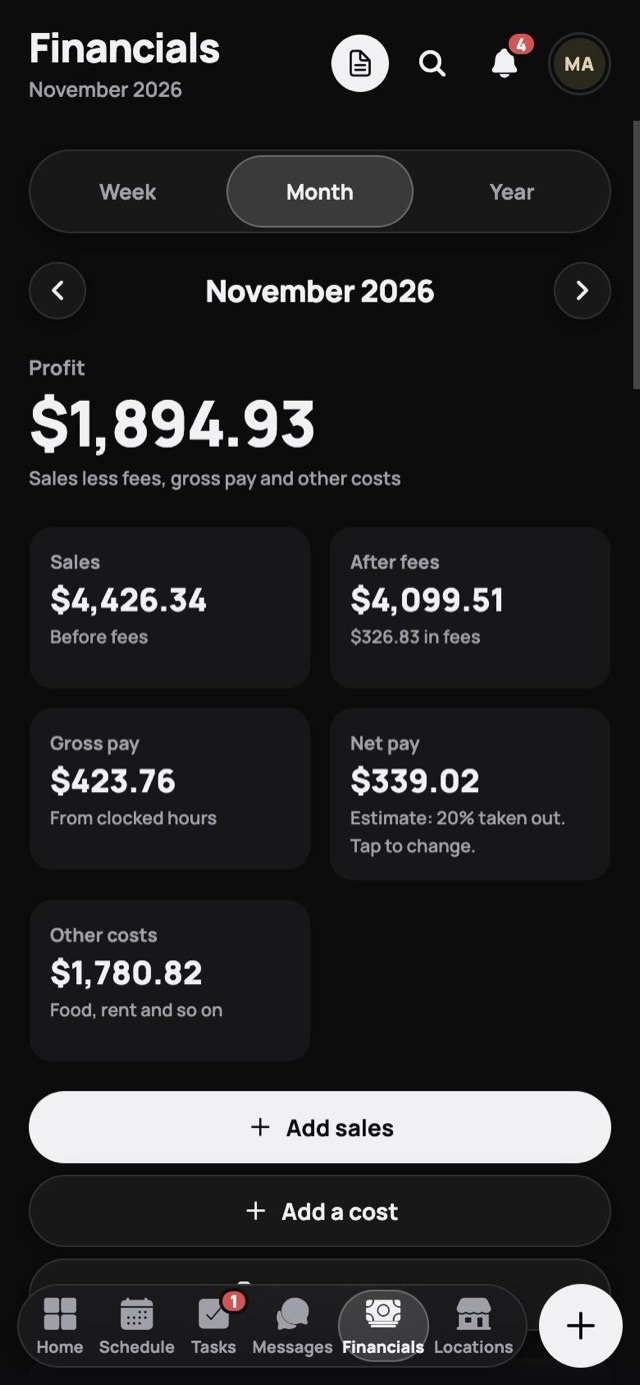
The Financials screen: a month’s profit, sales, what’s left after fees, gross pay, net pay and other costs.

See every location at once

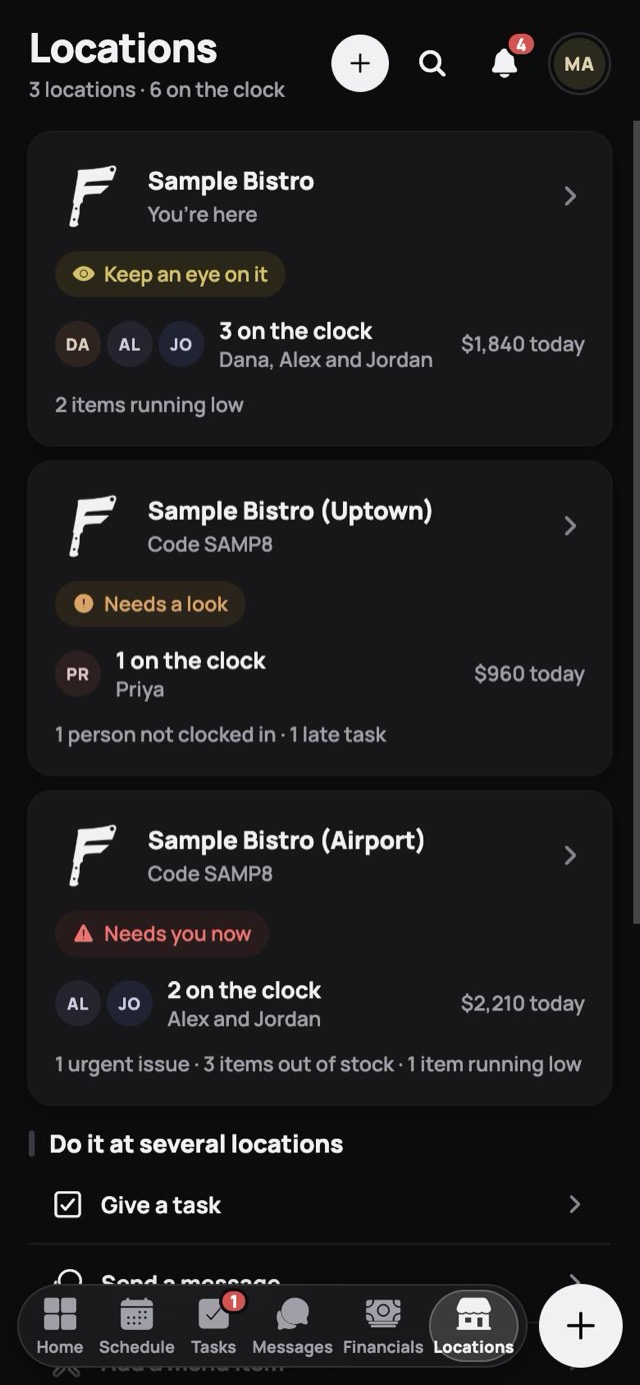
Each location’s card shows who’s on the clock and a color from green to red for how much it needs you. Do one thing at several at once instead of doing it over and over. Each location after the first is $35 a month.

  • Send the same task, with its timer and steps, to any locations
  • Send a message, menu item or recipe to several at once
  • Copy your menu, stock list and checklist to a new location
  • Each one has its own code, team, schedule and menu
The Locations screen: three locations, each with who’s on the clock, today’s sales and a color for how much it needs the owner.

Messages that get read

Send to one person, a group or everyone. Urgent messages stay at the top of Home until they’re opened, and private ones open with a PIN.

Problems reported fast

Anyone can report something broken or unsafe, with a photo. Urgent issues come straight to the top of your day.

End-of-shift checklists

Each group has its own list, so closing is the same whoever closes.

Training

Short lessons for the kitchen, cashiers and servers, plus your own videos, and you can see who has finished.

Your own calendar

A private to-do list and calendar for the owner, shared only if you choose.

Your team’s language

English, Spanish, French, Portuguese, German, Italian, Chinese, Japanese, Korean, Vietnamese, Filipino, Russian and Hindi. Each person picks their own.

See if it fits your restaurant.

The sample restaurant opens in your browser, with no account and no card.